Fixed Project Settings
- Pick a currency tab.
- For each budget range, enter one or more Bid Amounts separated by commas (for example 50, 60, 70). Bidswala picks one at random for each bid.
- Enter Delivery Days the same way, or click Minimum, Average or Maximum to fill a row.
- Switch Include off for ranges you don't want.
- Click Save before switching to another currency.
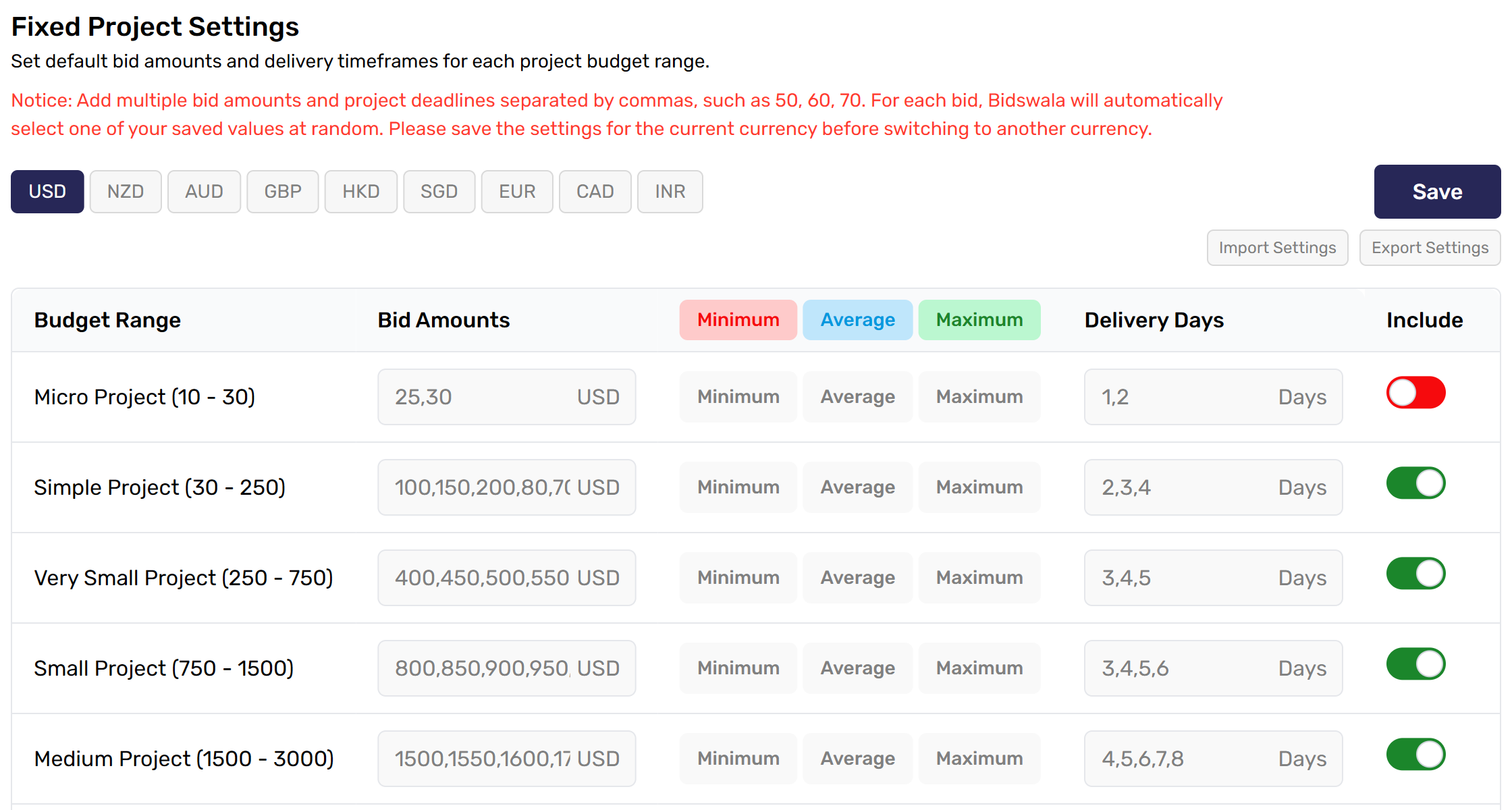
Below the table, Bid Amounts & Project Deadlines sets a percentage of the budget for projects with a custom budget. Export Settings saves your settings to a file; Import Settings loads one and saves it straight away.
Was this article helpful?