Bidding Assistant Setting
- Under Status, click Enable to use your own settings. Disable uses the default settings. This saves straight away.
- Set the fields, then click Save.
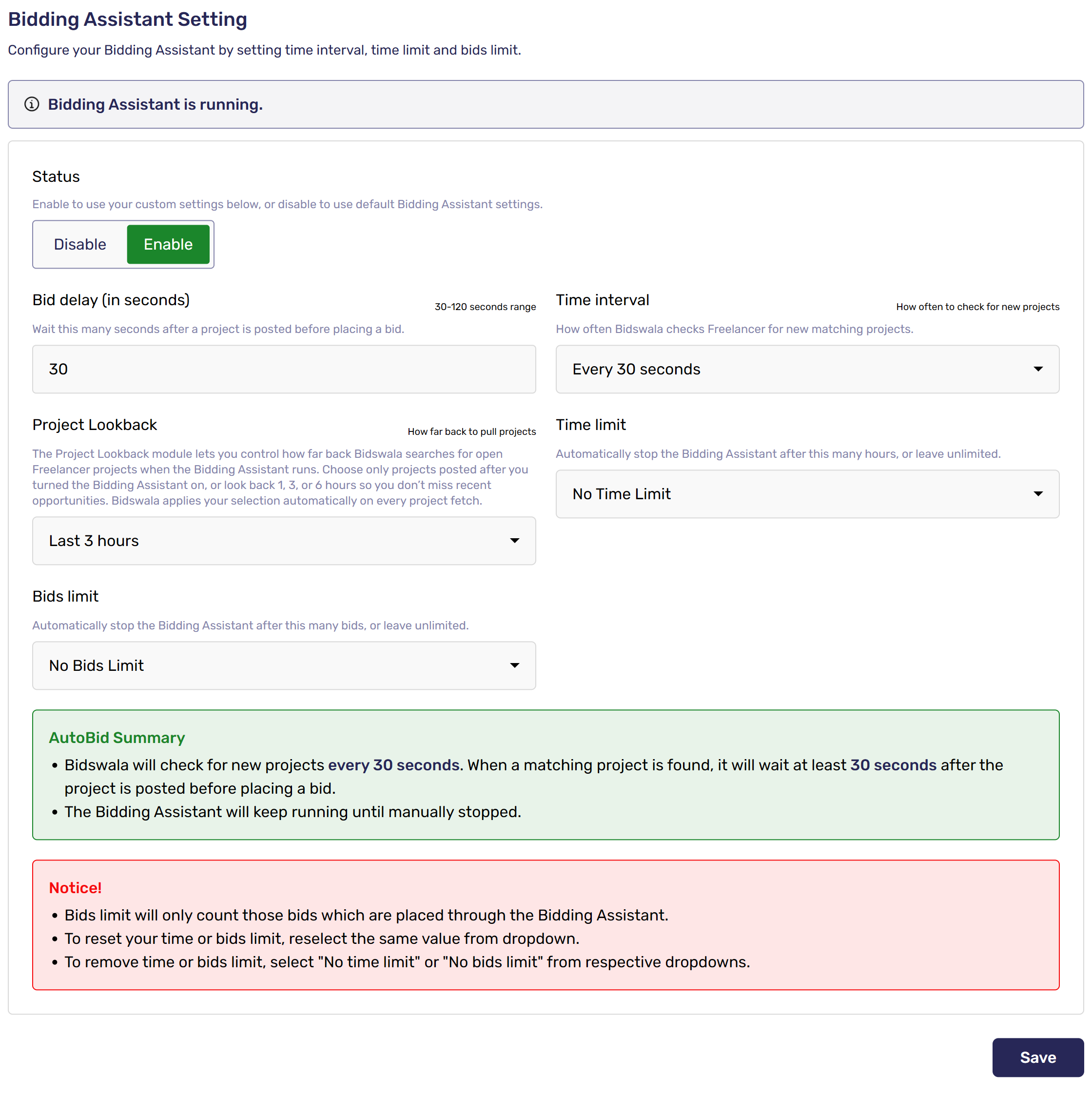
- Bid delay: seconds to wait after a project is posted before bidding (up to 120; the minimum depends on your package).
- Time interval: how often Bidswala checks for new projects.
- Project Lookback: how far back to look for open projects (selected packages).
- Time limit and Bids limit: stop after a number of hours or bids, or leave unlimited.
The green Bidding Assistant Summary spells out what will happen. To reset a limit, pick the same value again.
Was this article helpful?